 Watch Winder
For iPhone, iPad and Apple Watch
Never pick up a stopped watch again.
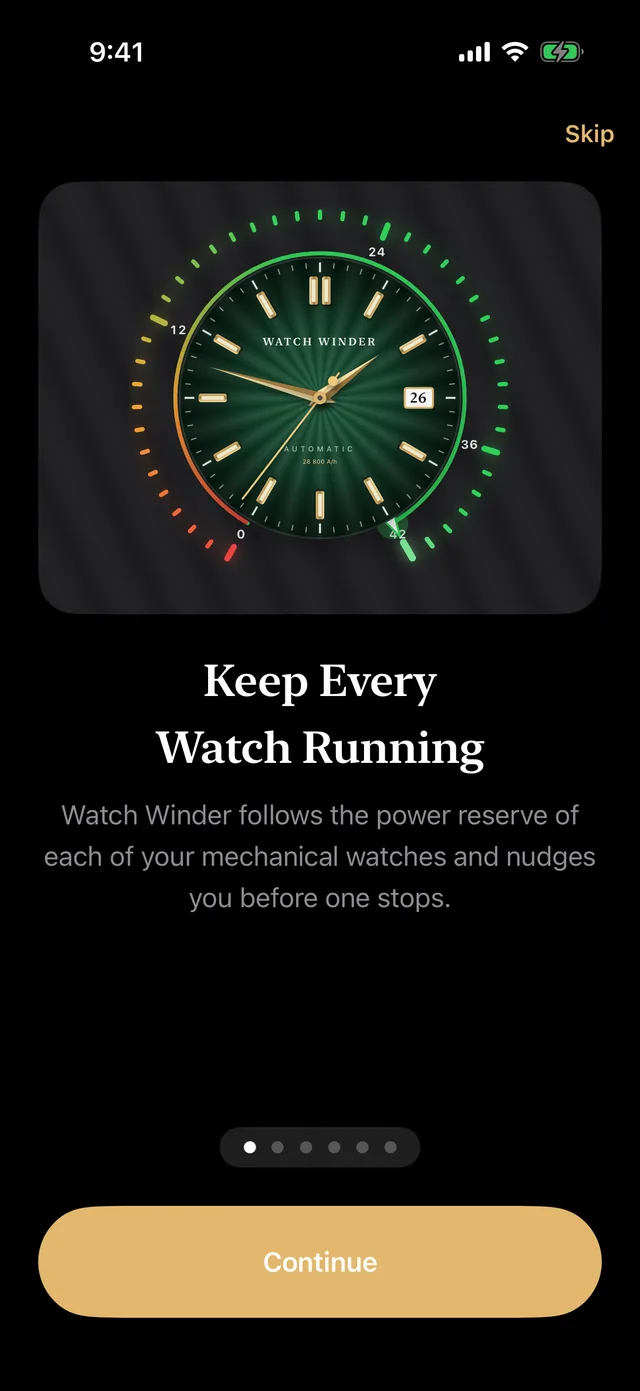
Watch Winder follows the power reserve of every mechanical watch you own. It counts down each hand-wound watch, knows when an automatic has been charging on your wrist, and nudges you before any of them runs down.
Free to download. One-time Pro upgrade, no subscription.
The problem
Three watches in rotation. One of them has always stopped.
Every mechanical watch runs on a spring that lasts a day or three. Wear a different one each day and the others quietly run down, so you reset the time and date again, and again. A physical winder costs hundreds per slot. Watch Winder does the remembering for free.
Features
A power reserve gauge for every watch you own
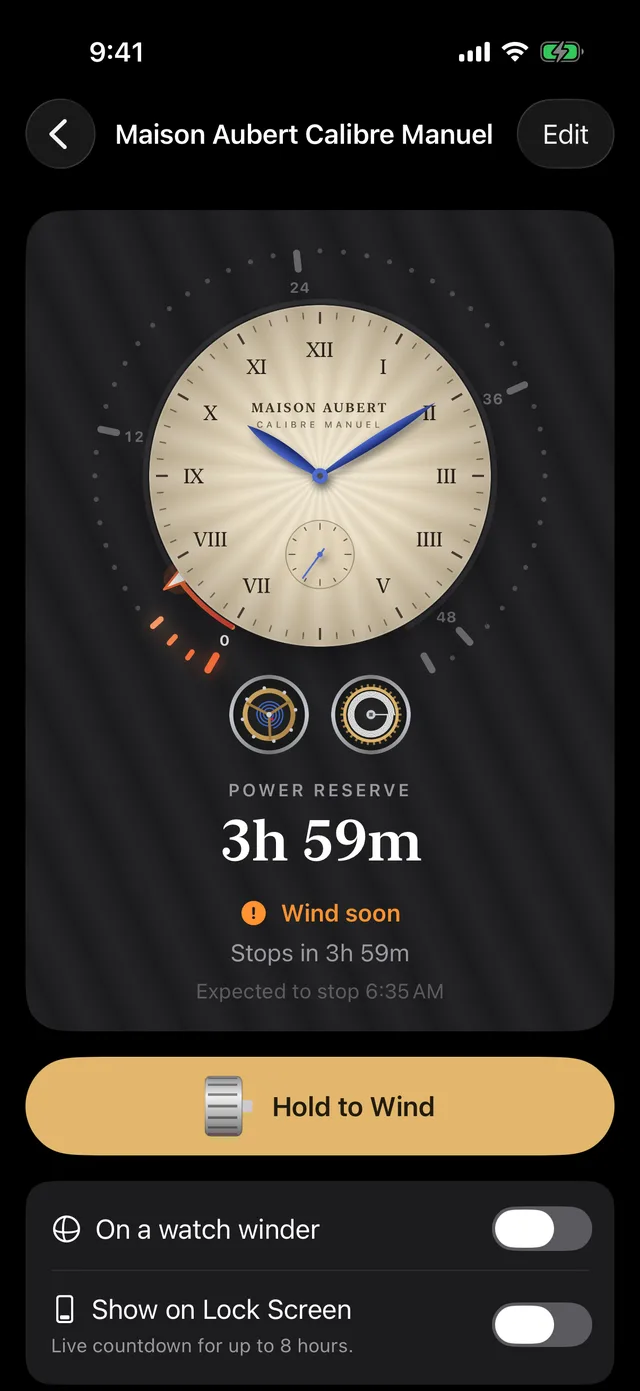
See exactly how long each watch has left
Every watch gets a reserve gauge on an hour scale, with a live balance wheel that stops when the watch does. Amber means wind soon; red means it has run down.
- Counts down hand-wound watches from each full wind
- Estimates how much an automatic charged while you wore it
- Keeps watches on a winder topped up
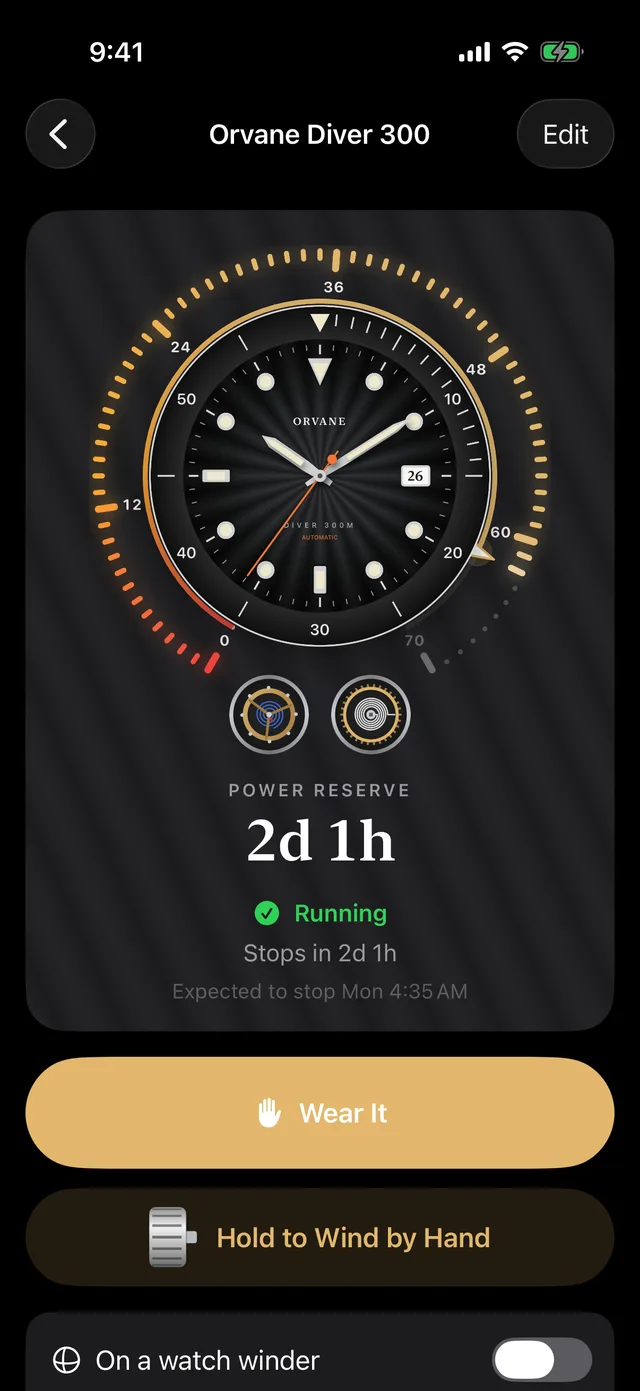
Wind it like the real thing
Press and hold the crown to wind. You feel each click of the ratchet through your phone, faster as the mainspring tightens, until the stopwork knocks at full. Automatic? Tap Wear It in the morning and Take It Off at night.
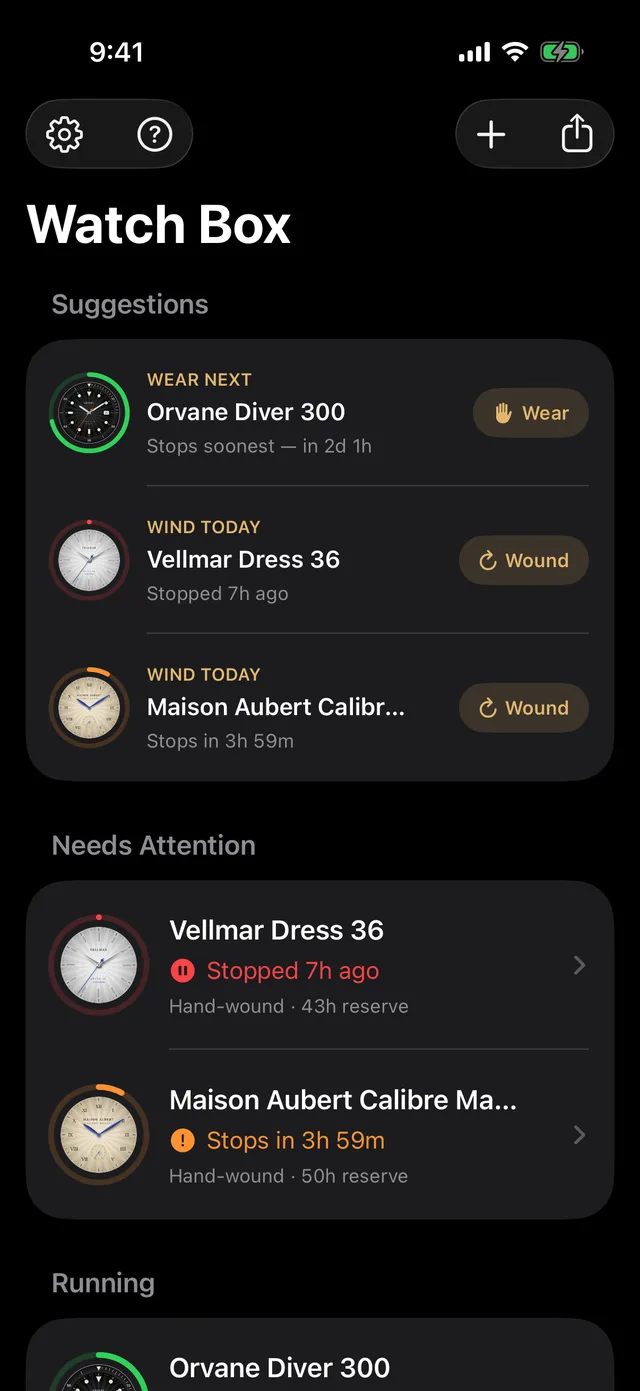
Knows what to wear and wind next
The watch box sorts your collection by urgency and suggests the automatic that will stop soonest, so wearing it keeps it running, and the hand-wound pieces to wind today. Swipe any watch to log it in one tap.
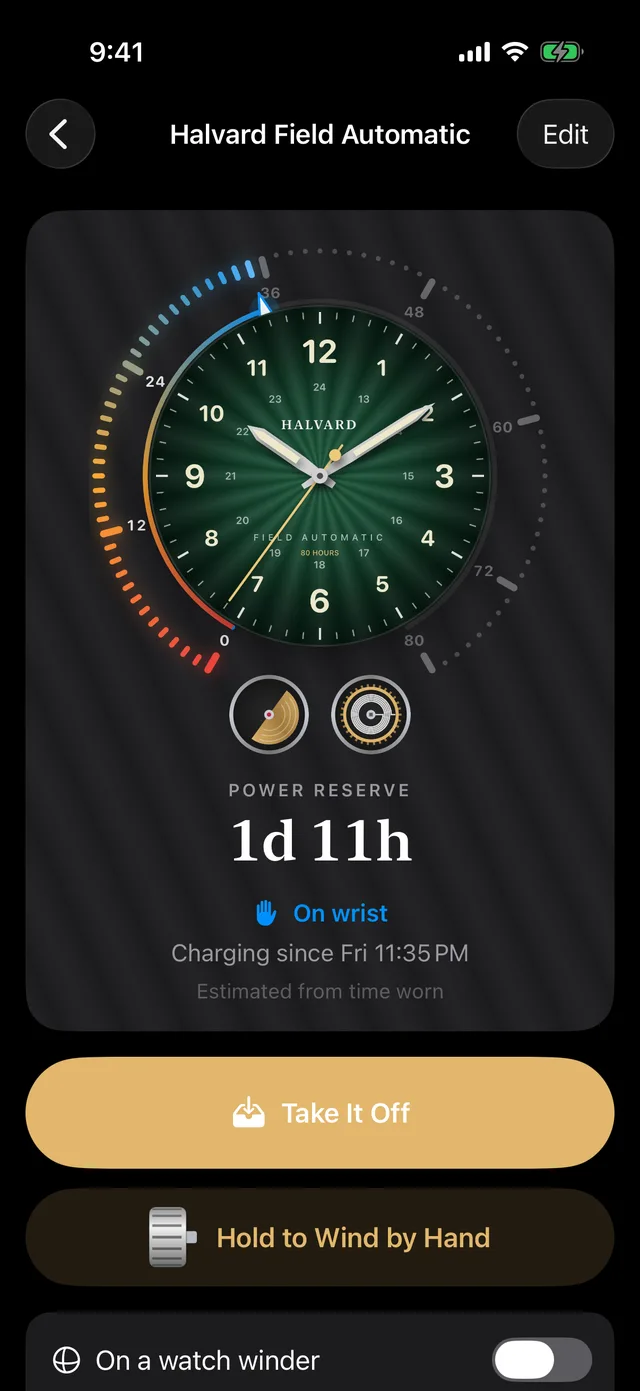
Reminders that respect your sleep
A nudge arrives a few hours before a watch runs down, set per watch. Quiet hours move night-time reminders to the evening before, and you can log a wind straight from the notification.
Everywhere you look
On your wrist, your Lock Screen and your voice
Apple Watch
See every reserve and log a wind from your wrist. Complications and Smart Stack show the next watch due.
Widgets and Live Activity
Home Screen and Lock Screen widgets, plus a live countdown in the Dynamic Island for the watch you care about today.
Siri and Shortcuts
“I wound my field watch.” “I'm wearing my diver.” Log it hands-free, or build it into your morning routine.
Knows your movement
Type “PRX” or “SPB143” and it offers the right calibre and reserve. See the list.
Your watches, your photos
Snap the dial and Watch Winder finds it and sets it inside the reserve ring, in lists, widgets and on the Lock Screen.
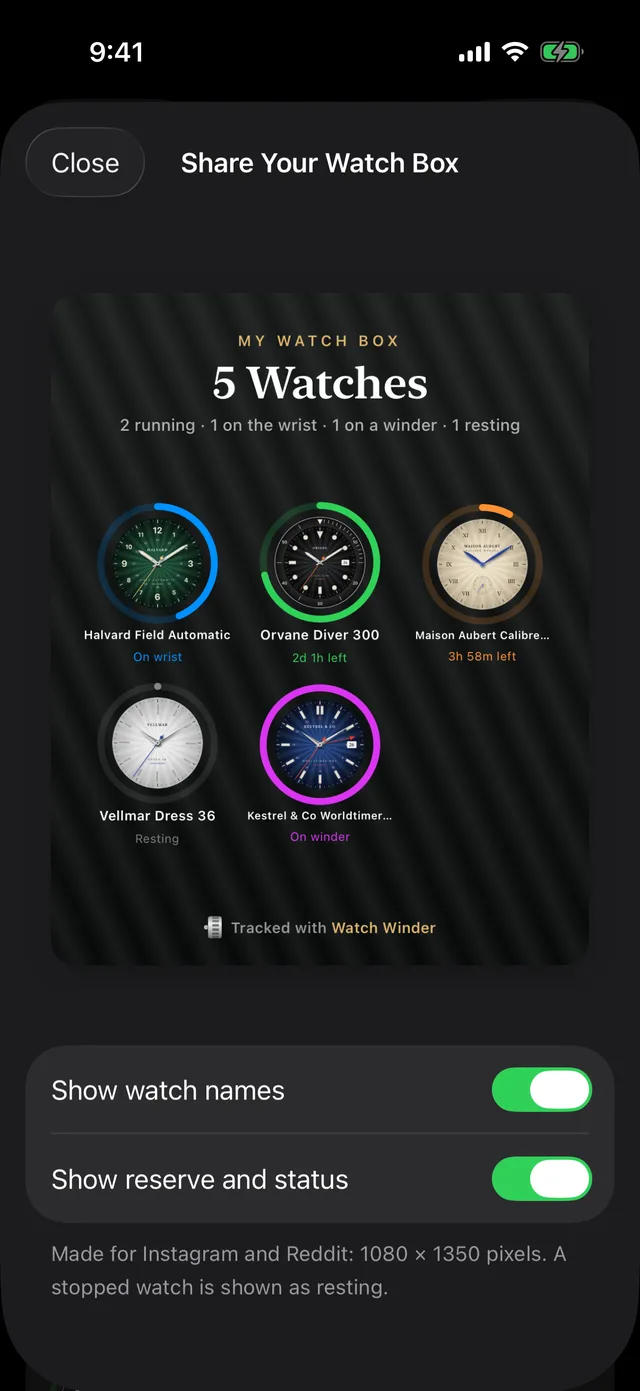
Share your watch box
Post a “state of the collection” card to Instagram or Reddit: every dial in its reserve ring.
Private by design
No account. Nothing leaves your iPhone.
Your watches, photos and history live on your device. Reminders are scheduled locally, and your Apple Watch syncs directly with your iPhone. There are no analytics, no ads and no servers to hack.
Pricing
Pay once. Keep it forever.
No subscription, because there's nothing to keep paying for: everything runs on your devices.
Free
Everything you need for a small collection.
- Up to 3 watches
- Reserve tracking and reminders
- Quiet hours and suggestions
- Movement autofill
Pro
For the full watch box. Shared with your family.
- Unlimited watches
- Apple Watch app and complications
- Widgets and Live Activity
- Siri and Shortcuts
Questions
Frequently asked
Does it actually wind my watch?
No, nothing can do that from a phone. Watch Winder tracks each watch's power reserve and tells you when to wind or wear it, so you never find one stopped. Think of it as a watch winder you only need when it matters.
How does it know how much an automatic has charged?
It estimates from how long you wore it: by default an hour on the wrist adds about four hours of reserve. Active days charge faster than desk days, so you can tune the rate in Settings. If a watch stops earlier than predicted, lower it.
Do I need a physical watch winder?
Rarely. Most collectors wind or wear on a schedule instead. We wrote a whole guide on when a winder is worth it.
What if my watch isn't in the movement list?
Enter its power reserve by hand; it's usually printed in the manual or on the maker's website. The list covers 49 popular calibres and grows with each update.
Does it need an Apple Watch?
No. The iPhone app does everything; the Apple Watch app and complications are a bonus for Pro.
Is my data backed up?
It lives on your device and is included in your normal iPhone backup. Watch Winder never uploads it anywhere.
Watch Winder
Keep every watch running.
Add your collection in a minute and let the reminders do the rest.